| |
CompPad is a LibreOffice extension for performing units-aware
engineering calculations within a Writer document, allowing calculations to be
documented using all of the resources of the Writer application. It has
functionality similar to Mathcad, but is not intended to be a Mathcad clone.
Rather, I hope it might prove more flexible and extensible, and that it might
encourage other free / open-source alternatives to a proprietary engineering
"Killer App."
| |
CompPad allows you to create technical calculations in the form of
conventional-looking mathematical expressions using the LibreOffice equation
editor. This editor has a simple text syntax that some consider to be faster and
more intuitive than other equation editors. Then, with the click of a toolbar
icon, CompPad will evaluate the expressions and display the results, embedded in
your document. All of the features of LibreOffice are available for
documenting and formatting your document so that it can be presented with pride
to co-workers, customers, professors, etc.
Example
Here is an example of how you might use CompPad. It is a simple
mechanical harmonic oscillator example based on the Wikipedia
topic . You
can download this example here:
example - harmonic oscillator.odt.
- Install the CompPad extension (easy, see below.)
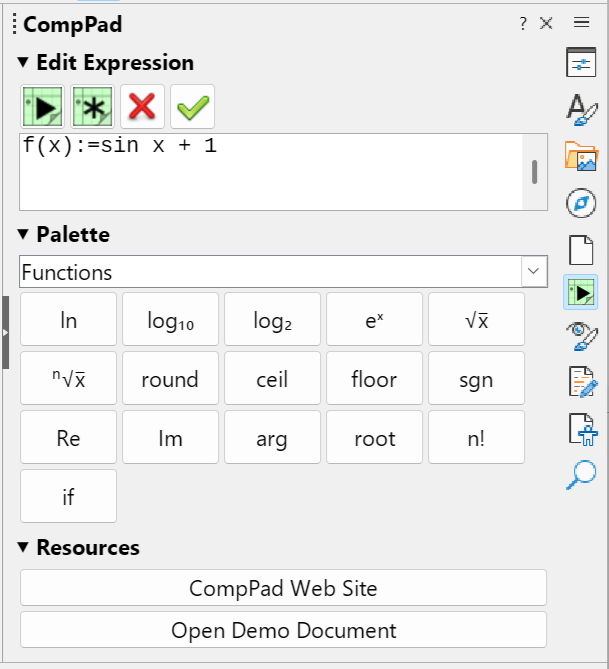
- Open a new LibreOffice Writer document. Open the CompPad sidebar with
"View" -> "Sidebar", then click the CompPad icon
 in
the sidebar's tab bar. in
the sidebar's tab bar.
 (click for full size) (click for full size)
- A toolbar is available as well, with a single-line edit field and the same
buttons:
 . .
- First we define the mass of the oscillator. Type the following into the
sidebar's Edit Expression box
(without quotation marks):
"M:=10 kg"
- Press "enter" or click
 .
The following formula will be created: .
The following formula will be created:

- Use the mouse to move the cursor to a point after the formula. Now you
can create another formula or edit text.
- Define the spring constant:
"K:= 4 lbf/inch"

- Calculate the natural frequency of the oscillator:
"f_n := 1 over {2 %pi} sqrt{ K over M}="

- To evaluate the expressions you've entered so far, click
. You will see that the last expression gets updated with the
result of the calculation:

Notice how the units of measure were handled automatically. Even though we
entered quantities in both SI and US Customary units, the correct solution was
computed.
- Define the amplitude of the oscillation:
"A:= 2 cm"

- Define position as a function of time:
"x(t) := A cos left( sqrt{K over M } t right)"

- Create a time vector with 21 elements, ranging from 0 to 1 s:
"t:={0 dotslow 20} over 20 s"

- Then calculate the position vector:
x_t:= x(t)

- To plot position vs. time:
"plotxy(t,x_t)"

- Finally, click
. You will see the following plot added to the document:
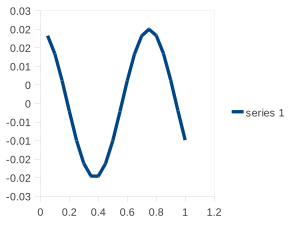
Now, you can add text, pictures, formatting, and other elements using all of
the features of LibreOffice Writer. If you need to change a parameter in
the calculation, you can make your changes using the equation editor, and then
to re-evaluate the document.
CompPadDemo.odt demonstrates all the features of CompPad in a writer
document. Also, check out the example files.
Advantages of CompPad
CompPad has a number of advantages compared to Mathcad and other Mathcad
alternatives.
- The calculations ARE the document. You need to document your work
anyway. With CompPad, you can combine your calculations with supporting media
and written discussions. Then, if you need to change some numbers or update a
formula, you can do so and click "evaluate". All your calculations will be up
to date.
- The file is a standard Writer document, and formulas and graphs are
native LibreOffice objects. The file is standard ODF, and is valid without
CompPad. It can be shared with any colleagues who use LibreOffice, and in most
cases exported to .DOCX format for MS Word users.
- The documents will always be valid, even if CompPad is no longer
supported.
- Licensed under the GPL, so it is free for any use, permanently.
- No account, no cloud, no subscription.
- No special runtime dependencies. It is 100% Python running on the
built-in LibreOffice interpreter.
- Runs on Windows, macOS and Linux.
- The input method is not proprietary. StarMath is LibreOffice's
native equation syntax. CompPad formulas are StarMath formulas.
- Decimal and thousands separator settings are part of the document,
not dependent on the locale. So a CompPad document opened in any locale will
render the same.
- Twelve UI languages. Controls and error messages are localized.
- Over 1,300 automated regression tests.
- Open source and auditable.
- And of course there are all the other features of CompPad, many of which
set it apart from similar products.
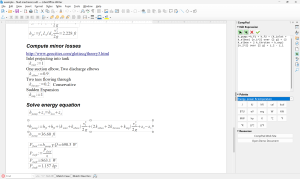
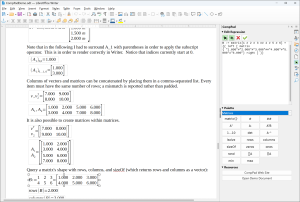
Screenshots
Click thumbnails for full-size image.
Installation
- All releases are available
HERE.
- New users should download the most recent .oxt from the "0.5" branch - this is the
current release and the default download.
- In LibreOffice, installing the extension for the
first time should be as simple as opening the .oxt file using "File" -> "Open",
or via "Tools" -> "Extension Manager".
- After installing, you will need to re-start LibreOffice.
- If you are upgrading from a previous version of CompPad, the above procedure
should work. If you have any trouble, post a message on the
Discussion Forum
The latest releases (0.5.x) are implemented in Python and do not require a Java
runtime - they use the Python support built into LibreOffice, and have
been tested with LibreOffice 26.2. They should run on Windows, Linux, macOS, and
other operating systems that support LibreOffice.
Using CompPad
- Try the following example files:
- CompPadDemo.odt
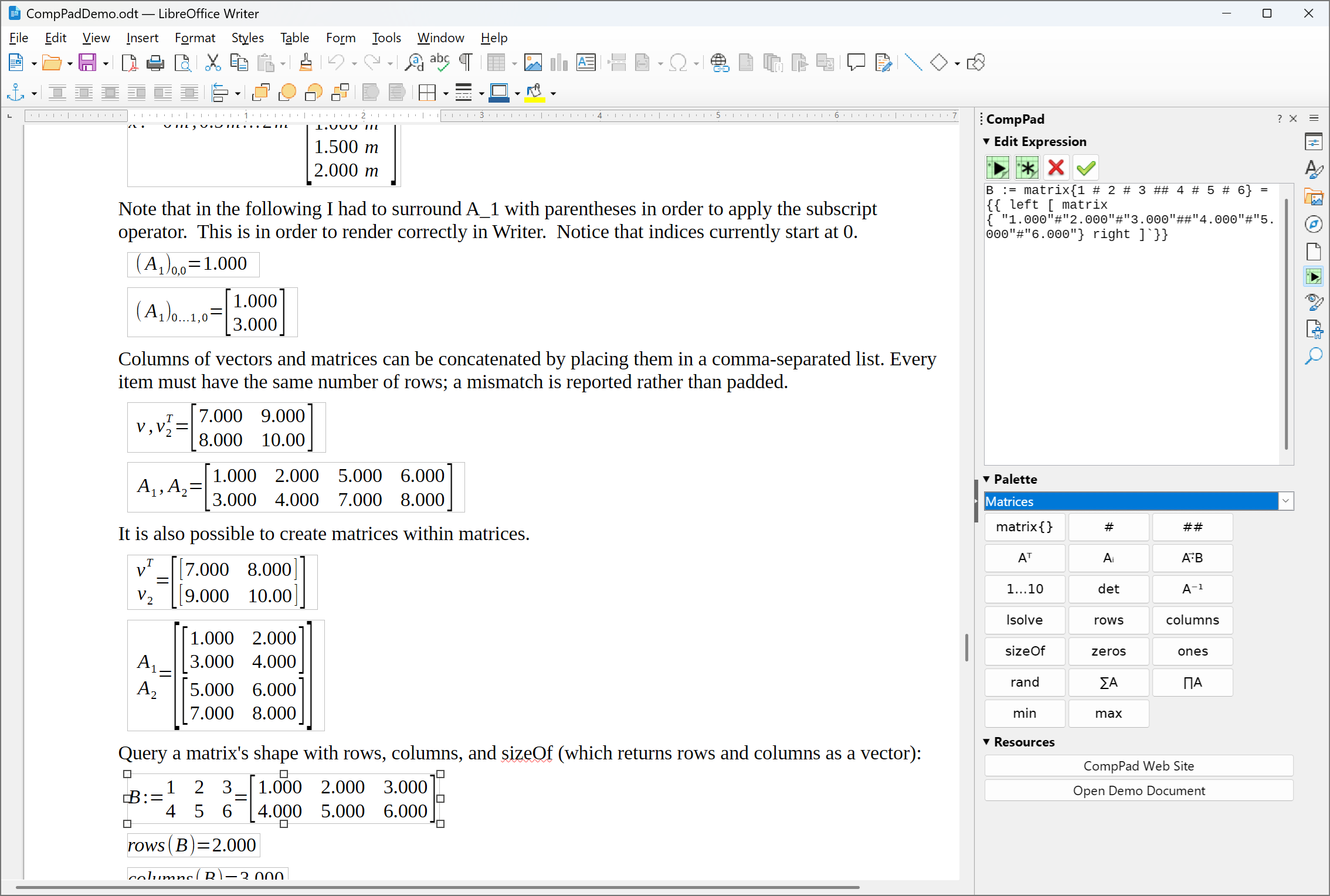
is a LibreOffice document which contains examples of most CompPad features. This document is probably the most useful reference for learning how to use CompPad, because you can explore the StarMath syntax, see how it is rendered and change values, recalculate and see the results.
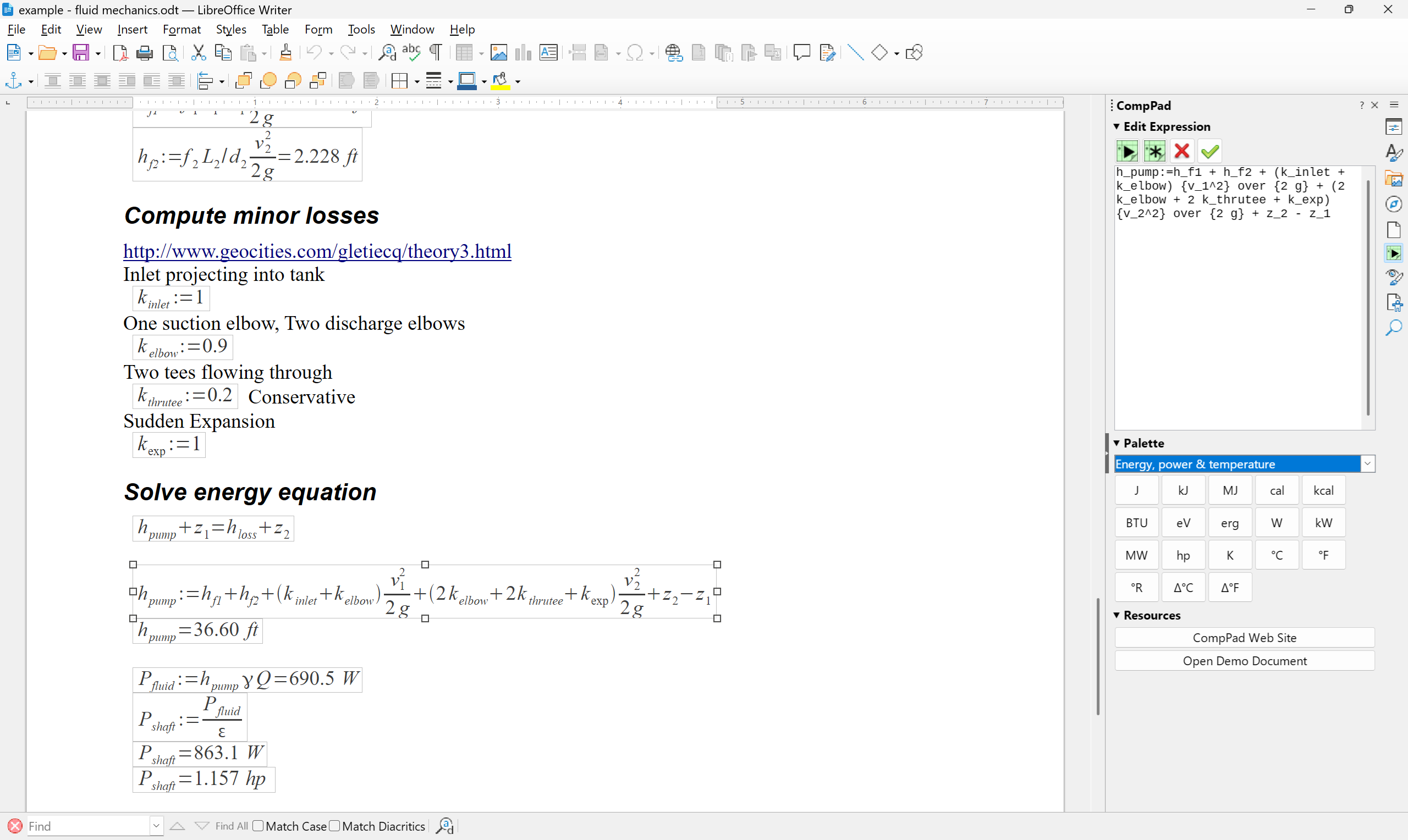
-
example - fluid mechanics.odt — Pump shaft power calculation
-
example - harmonic oscillator.odt — The simple harmonic oscillator calculation that is shown at the beginning of this page.
- Try changing the expressions in these examples, or create a new document with
your own expressions. If you get an error, double-check the offending formula.
- If you're stuck, search the Discussion Forum
to see if your question has already been answered.
- Post questions, bug-reports and feature requests to the Discussion Forum .
Syntax Reference
- CompPadGuide.md
— This document was generated using an AI agent (it says it was hand-written, but that means that an AI hand-wrote it) and is mainly intended as a reference for AI agents.
- CompPadReference.md
— generated from the source using a script, and mainly intended as a reference for AI agents: every name the engine accepts, every
palette button with what it inserts, every error message.
- UNITS.md
— generated from the source using a script: every unit and the prefixes it accepts. This document is mainly intended as a reference for AI agents, but may be useful to humans as well.
Writing a Worksheet with an AI
If you want to use an AI agent such as Claude Code or ChatGPT Codex to build or edit a CompPad document,
give it the URL for the Python branch of the sourceforge repo:
repo / Python,
or let it clone https://git.code.sf.net/p/comppad/repo and check out the
Python branch.
Its skill/
directory is a skill that can be used with AI agents to simplify reading, checking and editing
CompPad/LibreOffice documents.
Give the agent the whole repository rather than the skill/ directory on its own. The skill
checks a formula by running CompPad's own engine before writing it into your document, and the engine lives in
python/ - so the scripts need the rest of the checkout to work, and checking is the part that
separates a worksheet that calculates from one that merely looks plausible.
Current Status
CompPad has been used to evaluate documents with
hundreds of formulas. Every release is covered by an automated suite of over
1,300 tests, and the calculation engine is tested on its own, independently of
LibreOffice.
Here are a few of the features that are supported in the most recent version:
- A sidebar holding a multi-line expression editor, a palette, and
links to other resources. A simple toolbar with a single-line edit field
is available as well.
- A palette with all supported CompPad features, and some convenience items: Units of measure; Greek letters; operators and
brackets; matrix notation; functions; and display settings.
Inserts at the cursor, and
wraps or follows selected text.
- Single-line function definition
- Real and Complex numbers, booleans, vectors and matrices
- Units of measure are handled in all quantities and calculations. Supported units are listed here: UNITS.md
- Units are displayed according to the specified system of units. Options are
"SI","US","CGS".
- Temperatures scales, eg.
T := 23 degC and units of temperature difference, eg.
(deltaDegC).
- Linear algebra: determinant, inverse, and the solution of a linear system
(
det(A), inv(A) or A^-1,
lsolve(A,b)).
- Vector / matrix operators including transpose, dot product, norm, min, max,
sum and product. Scalar functions are applied element by element.
- Conditionals.
- Basic operators including arithmetical, exponential, comparison, rounding,
trigonometric, hyperbolic, logarithmic, and roots of any degree.
- Range variables, with or without an explicit step, eg.
0, 0.5 dotslow 10 produces a range vector with 21 rows.
- Support for alternate decimal separators - either "." or "," - as well alternate thousands separator.
- Basic X-Y plotting
- Flexible variable naming allows almost any combination of text or formula element.
- Expression formatting, such as color or font weight.
- "comment" expressions that do not evaluate.
- Settings for the number of displayed significant figures, decimal places, and zero threshold for small values.
- The user interface is translated into twelve languages: English, German,
Spanish, French, Italian, Portuguese, Dutch, Greek, Ukrainian, Polish, Indonesian and Simplified Chinese.
If you require a certain feature for CompPad to be useful to you, please
let me know. I may be able to give it priority.
Development
CompPad is being actively developed.
Following are a few features I hope to implement eventually:
- Numerical calculus: definite integrals and derivatives, in the correct
derived units.
- Scope blocks and function blocks - turning a Writer frame into a scope of
its own, so that a calculation can show its working without its intermediate
names escaping into the rest of the document.
- A more complete set of built-in functions and operators.
- Control structures such as loops.
- Import expressions from other documents
- Read from and write to cells in LibreOffice Calc.
- Plug-in framework for adding new functions, operators, etc.
- Web interface
Contribute
Currently the best way to contribute is to try out CompPad, and post your
question and comments to the Discussion Forum. Your
comments help me know what is important to users. I would especially like to know how you would
like to use CompPad. If you require a certain feature in order for CompPad to be
useful to you, then let me know. I may be able to give it priority.
Ratings and reviews are how other people learn about CompPad. If you find CompPad
useful, please rate it on the
LibreOffice Extensions site, and on AlternativeTo:

If you like CompPad, please let people know by posting a message in your blog,
in on-line forums, or other news outlets. If you don't like it, then post on the
Discussion Forum and tell me why!
Financial contributions are also welcome!

License
Source code is provided under the terms of the GPL Ver. 3. It is available
through GIT on the Sourceforge Project Page.

Copyright 2026. All Rights Reserved.
|
|